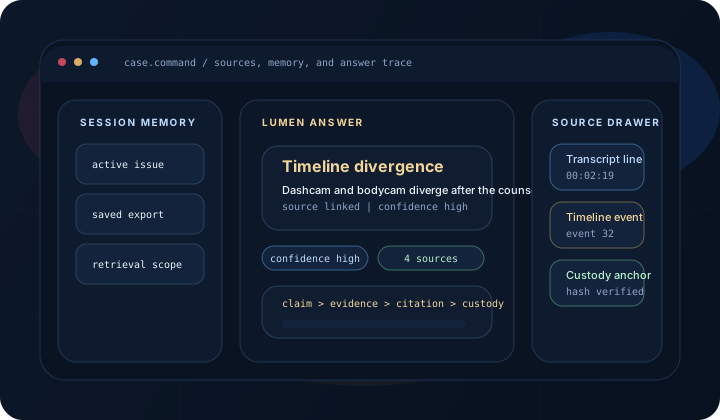
Browse a static sample case for immediate workflow orientation.
First Proof Demo
Run the first Evident proof step before opening a full workspace.
Start with a sample case for immediate orientation. Approved beta users may test one non-sensitive file. The demo shows intake integrity, metadata, OCR, and transcription so you can confirm the workflow with real output.
Approved beta users may test one non-sensitive file to confirm what the pipeline produces.
Request access to a workspace that fits how you work.
Sample cases
Private beta
Request access to a workspace
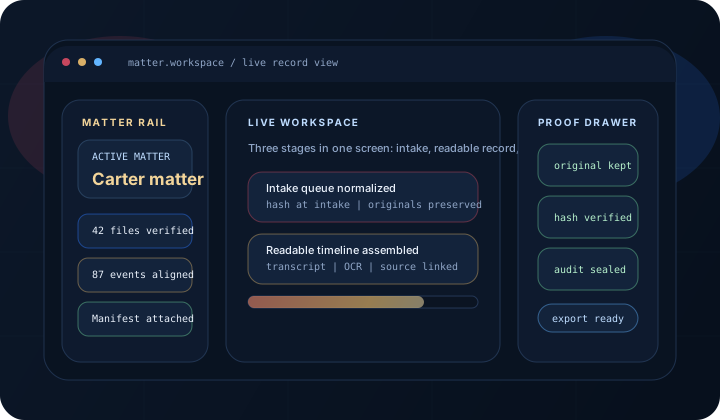
From raw files to a traceable first record
What This Proves
Use this page to confirm the first proof step, then request access to the right workspace.
In a few minutes, you should know whether the workflow matches how you work.
Integrity first
Every file starts with a cryptographic fingerprint so the chain-of-custody story is visible immediately.
Usable evidence
Metadata, OCR, and transcription make the material easier to search, compare, and explain.
Obvious next step
Self-represented users and firms can request access to a workspace that fits their work.
One demo, two clear paths: self-represented cases and firm matters.
Start with first proof, not promises. Once you see your output, request access to a workspace that fits how you work — whether self-represented or firm-driven.
Checking server…
Choose your path
Complete one proof pass, then move into the right tier for how you actually work.
Browse a sample case
Start here for immediate orientation without uploading your own material.
Open sample casesUpload in the demo
Approved beta users may test one non-sensitive file to see hash verification, metadata, OCR, and transcription.
Try it in the demoMove into the right tier
Self-represented users and firms can request access to the right workspace for their work.
Request accessEvident provides evidence analysis and document-preparation support. It does not provide legal advice. All findings and reports must be reviewed by the responsible attorney before use in any proceeding.
Sample Case Studies
Explore how the pipeline processes synthetic sample case patterns. Each case demonstrates multi-source evidence analysis, statute matching, and timeline reconstruction.
What the demo proves
The goal is not to show every feature. The goal is to show enough workflow proof that a legal team or first-time user can understand the value in a few minutes.
Originals stay intact
Every file starts with a cryptographic fingerprint so users can see the integrity story immediately.
Evidence becomes reviewable
Metadata, OCR, and transcription make the material easier to search, compare, and explain.
The next step is obvious
After the demo, the path is clear: request access to open a firm workspace, start your first matter, or book a walkthrough if the team needs help.
Approved beta users may test one non-sensitive file.
This guided path is designed to remove uncertainty fast. Approved beta users may test one non-sensitive file here; request access to continue into a full workspace.
Do not upload sensitive, privileged, or active case evidence to this public demo. Use a non-sensitive sample file. Anything uploaded here is processed by the public demo endpoint and is not covered by matter-level access controls.
Drop evidence file here or click to browse
25 MB limit · encrypted in transit
1
SHA-256 Hash
Chain of custody fingerprint
Waiting
2
Metadata Extract
Metadata + container analysis
Waiting
3
Transcription
local transcription engine
Waiting
4
OCR / Text Extract
OCR + document extraction
Waiting
5
Audio Events
local acoustic-event detection
Core
6
Speaker Diarization
Speaker separation
Complete
7
NJ Statute Analysis
Jurisdiction-aware issue spotting
Core
8
Incident Reconstruction
Multi-camera timeline synthesis
Complete
Move from demo to workspace
First proof steps verified. Request access to a workspace for self-represented casework or firm workflows and advanced analysis:
Audio event detection
Catch key signals like gunshots, sirens, or silence gaps once you move past the demo tier.
Speaker diarization
Separate voices and track who said what during harder review.
NJ depth
NJ statute matching and reconstruction
Bring deeper legal pattern matching and multi-camera analysis into active matters.
Export
Structured evidentiary PDF with hash certificates
Turn the proof pass into a cleaner handoff with provenance attached.
16-Stage Forensic Pipeline
Integrity-critical stages are reproducible and review-ready. Each stage shows which subscription tier unlocks it.
1
Free
SHA-256 Hash
Cryptographic fingerprint from original bytes. Establishes chain of custody at intake.
2
Free
Metadata Extract
Device data, duration, resolution, EXIF fields, and container format analysis.
3
Free
Transcription
Speech-to-text with timestamped segments using a local transcription engine or speech-to-text transcription.
4
Free
OCR / Text Extract
Text extraction from video frames and PDF documents using OCR.
5
Free
Audio Events
Acoustic event detection: gunshots, sirens, raised voices, silence gaps.
6
Starter
Speaker Diarization
Speaker segmentation and turn labeling using Speaker separation voice identification.
7
Core
Object Detection
Frame-by-frame object and person detection with tracking persistence.
8
Core
Pose Estimation
Body posture analysis and force-cue estimation for use-of-force review.
9
Complete
Multi-Frame Tracking
Persistent identity tracking across video sequences using multi-frame tracking.
10
Complete
Violation Engine
Automated constitutional and procedural violation detection against NJ statutes.
11
Complete
Timeline Synthesis
Multi-angle events fused into one verified chronology with contradiction flagging.
12
Complete
Context Synthesis
Cross-stage context aggregation enabling downstream intelligence stages to reason over the full evidence picture.
13
Complete
Key Moments
Critical event identification and clip-worthy moment extraction from cross-referenced signals.
14
Complete
Demo Clip Generator
Context-aware clip selection with intelligent titling based on scene type and evidentiary weight.
15
Complete
Burden Analysis
Evidence weighting and legal argument support assessment aligned with Graham v. Connor.
16
Complete
Report Generation
Structured structured report with provenance links, hash certificates, and full audit trail.
Choose your tier after first proof
Free
$0
No account required
Run the first-proof workflow in your browser before opening a workspace.
SHA-256 chain of custody
See the integrity story before creating an account.
Metadata extraction
Inspect the first technical signals from your evidence.
Case study browser
Orient yourself with sample matters before uploading your own files.
25 MB · 1 file per session
Try Demo Above
Starter
$29
/mo
Per user, billed monthly
Typical next step for self-represented users who need transcription, OCR, and export.
Everything in Free
Keep the same integrity baseline and add working depth.
AI transcription
Convert speech to searchable review text faster.
On-screen text OCR
Pull text from footage and documents into one record.
PDF / DOCX export
Build early handoff packages you can review or share.
100 MB · 5 files per case
Request Access
Most Used
Core
$79
/mo
Per user, billed monthly
Typical firm starting tier for active matters that need deeper analysis.
Everything in Starter
Carry the same workflow into active firm matters.
Audio event detection
Catch key sounds and event changes in the record.
NJ statute matching
Layer jurisdiction-aware guidance into review.
Object and person detection
Add stronger scene understanding to litigation review.
500 MB · 15 files per case
Choose Plan
Complete
$199
/mo
Per user, billed monthly
Firm workflow at full depth, including reconstruction and verifiable structured output.
Everything in Core
Keep the firm workflow and add full-depth analysis.
Speaker diarization
Track who said what across complex recordings.
Multi-camera reconstruction
Rebuild incidents across more than one source.
Rights review and burden engines
Bring sequence-aware legal review into the record.
Structured reports and structured export
Package work product for scrutiny and integration.
2 GB · 25 files per case
Choose Plan
Enterprise — High-volume files, custom integrations, and priority support. Contact Sales
What to do after the demo
For law firms
Move into Core or Complete when you need matter-based review, collaboration, and production export.
Request AccessFor pro se users
Most pro se users request access to a workspace to organize evidence, compare transcripts and timelines, and build exports.
Request AccessNeed help deciding?
Use a walkthrough if you want someone to map the workflow to your matters before you open a workspace.
Book a live walkthroughProof of concept: the pro se journey works
Evident was built around the real needs of self-represented litigants — organizing discovery, requesting records, and challenging procedural discrepancies. The pipeline stages map directly to what a self-represented litigant actually needs at each step.
Audio recording → transcript
Upload a non-sensitive audio recording from discovery. The pipeline produces a timestamped transcript with speaker identification. You can verify accuracy against the original.
Stage 1: SHA-256
Stage 2: Metadata
Stage 4: Transcription
Stage 6: Diarization
Discovery documents → searchable record
Police reports, dispatch records, court filings — OCR makes them searchable and comparable. When the report contradicts the footage, you can find it fast.
Stage 1: SHA-256
Stage 3: OCR
Stage 9: NJ Statutes
Evidence → verifiable structured export
Production packages with hash certificates, custody documentation, and audit trail. Reproducible from originals. Court-conscious, reproducible format. A reviewer can verify every derivative against its source hash.
Stage 11: Violations
Stage 12: Burden
Stage 13: Report
Verify it yourself
The best proof is personal. Upload one non-sensitive file you already understand. Check the transcript against what you remember hearing. Check the metadata against what you know happened. If it matches, the pipeline works. If it doesn't, we need to know.
Request access View all plans
After the Demo
First proof complete. Choose the right operating path.
Self-represented users and firms can request access to the right workspace. Teams that want help mapping matters can book a live walkthrough.